Quick Broadband Recharge for Fast and Seamless Connectivity
Here’s the reality from years of telecom industry insight: most broadband “downtime” isn’t caused by fiber cuts or router faults. It’s because someone forgot their broadband recharge date.
You’d be surprised how often that happens. The network is fine. The last-mile fiber is intact. But the account validity expires, and the connection drops. In homes running 4K streaming, cloud backups, gaming consoles, and work-from-home VPN tunnels, even a few minutes offline feels like a system crash.
That’s where Tata Play Fiber broadband recharge comes in. It’s built for instant plan renewal, zero guesswork, and minimal friction. Let’s break it down properly.
Why Choose Tata Play Fiber Broadband Recharge
Instant Online Recharge in Seconds
When you complete a broadband recharge, activation typically reflects almost instantly. That’s not magic; it’s backend automation.
Modern fiber ISPs like Tata Play Fiber operate on integrated BSS/OSS platforms (Business and Operational Support Systems). Once payment is verified:
- The account status updates in real time
- Authentication servers refresh your session
- Bandwidth profile is re-applied at the OLT (Optical Line Terminal) level
The result? Your Wi-Fi reconnects within seconds.
If you’re in a dense urban zone where traffic peaks in the evening, this matters. High-throughput plans, 300 Mbps and above, need continuous session validation. A delayed recharge can mean re-authentication hiccups. Instant recharge avoids that friction entirely.
Multiple Secure Payment Options
Broadband recharge today isn’t just about convenience; it’s about transaction integrity.
You can typically pay using:
- UPI
- Debit or credit cards
- Net banking
- Wallets
All payments go through encrypted gateways with PCI-DSS compliance. And yes, tokenised card storage reduces the risk of credential exposure.
Security isn’t optional anymore. With recurring digital payments, you want multi-layer authentication and instant confirmation. Tata Play Fiber’s ecosystem supports both.
24/7 Uninterrupted Internet Access
Fiber is fundamentally different from legacy DSL. It offers:
- Low latency
- High symmetrical speeds (in select plans)
- Better signal stability over distance
But continuity depends on active plan validity. A missed broadband recharge interrupts authentication, not the physical line.
If you work on remote desktops, attend daily video calls, or game competitively, session drops can cause:
- VPN re-logins
- Streaming buffer resets
- Packet loss spikes during reconnection
Timely recharge keeps your connection profile active and stable.
How to Recharge Your Broadband Online
Steps to Recharge or Upgrade Your Plan
Broadband recharge is usually simple:
- Log in with your registered mobile number or subscriber ID
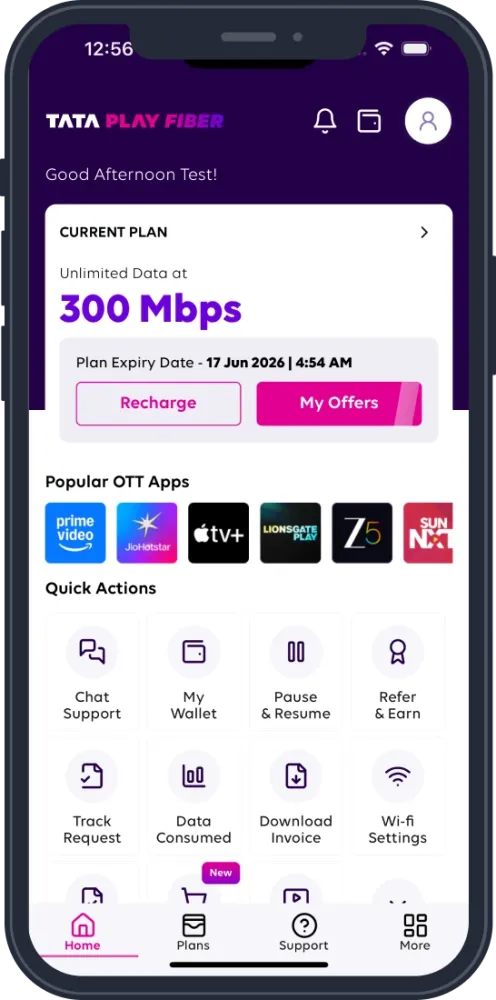
- View current plan, speed, and validity
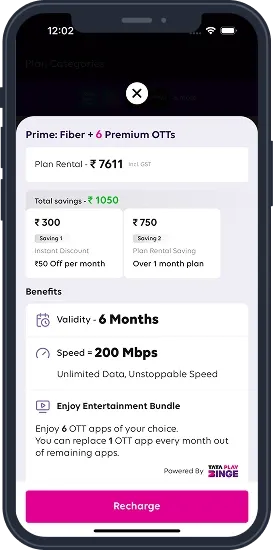
- Select recharge amount or upgrade plan
- Confirm payment method
- Complete transaction
Upgrading mid-cycle? Some plans allow proportional adjustments. Others activate the new speed profile immediately, with billing recalculated. Always check the plan terms before switching.
Recharge via App or Website
You’ve got two primary routes:
- Official mobile app
- Official website portal
Both sync to the same backend system. So whether you recharge from your laptop or phone, your broadband recharge reflects across the account instantly.
App advantage? Push notifications for expiry alerts.
Website advantage? Easier plan comparison on a larger screen.
Pick what suits your workflow.
Broadband Plans & Recharge Offers
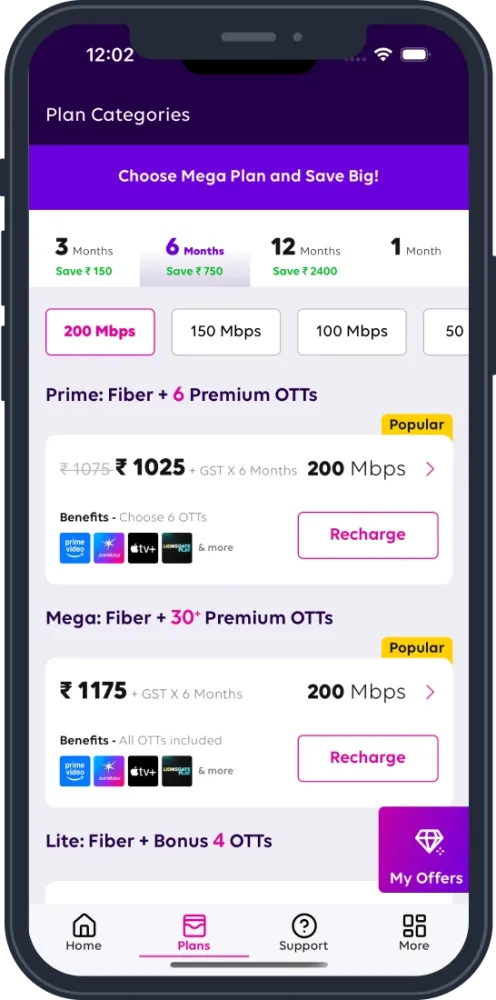
Check Available Plans Before Recharge
Before you click “Pay,” pause for a second. Check whether you are on the right plan.
Broadband consumption has changed dramatically. A typical connected home now runs:
- 2-3 OTT streams
- Multiple smartphones
- Smart TVs
- IoT devices
- Work-from-home laptops
Here’s a simplified comparison:
| Plan Type | Ideal For | Speed Range | Use Case |
| Basic | Light browsing | 50-100 Mbps | Emails, HD streaming |
| Standard | Family usage | 100-200 Mbps | Multiple streams, video calls |
| High-Speed | Power users | 300-500 Mbps | 4K, gaming, cloud uploads |
| Premium | Heavy traffic homes | 1 Gbps | Content creators, large households |
Think of it this way. Higher speed isn’t just about downloads. It improves concurrency. More devices. Less congestion. Better experience during peak evening hours.
Occasionally, ISPs roll out limited-time offers:
- Free Binge box
- Free Wi-Fi 6 router
- Bundle deals with OTT platforms
Check the available plans before confirming your broadband recharge. You might get more for nearly the same cost.
Benefits of Timely Broadband Recharge
Missed recharges don’t just cause downtime. They can also:
- Trigger temporary suspension fees in some billing models
- Disrupt static IP configurations (for business users)
- Affect auto-debit cycles
And if you’re using advanced setups like mesh Wi-Fi systems or enterprise-grade routers at home, sudden disconnects can require a manual session refresh.
Timely broadband recharge keeps:
- Authentication seamless
- Speed profiles intact
- Service continuity smooth
No surprises. No last-minute panic before an important call.
Auto-Recharge for Hassle-Free Renewal
If you hate reminders, enable auto-recharge.
Auto-recharge links your preferred payment method and triggers renewal before expiry. You stay connected without manual intervention.
Benefits include:
- Zero service interruption
- No late renewals
- Better planning for monthly expenses
But make sure:
- Your card or UPI mandate has sufficient balance
- Expiry dates on saved cards are updated
- Notifications are enabled
Automation works beautifully until a payment fails silently. Keep an eye on alerts.